Batch Blendshapes
Batch operations process multiple blendShape nodes in a single pass without per-node setup.
Open both dialogs from the File menu in the main window.
Batch Export
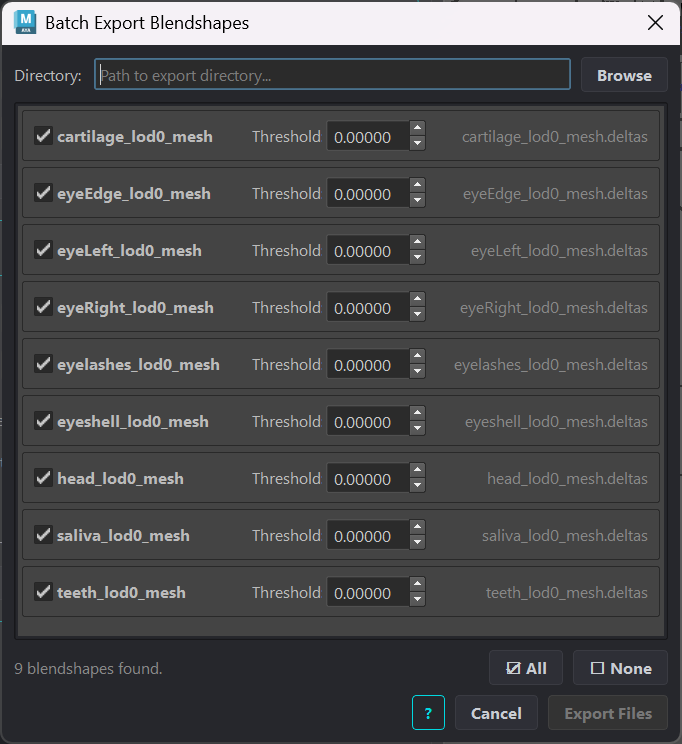
Batch Export Blendshapes scans the scene for blendShape nodes and exports each checked node to a .deltas file in a single output directory.
Element |
Description |
|---|---|
Directory |
Output folder for all exported |
Node list |
All blendShape nodes found in the scene. Each row shows the node name, a per-node Threshold spinner, and the derived output filename. Check or uncheck rows to include or exclude them. |
Threshold |
Per-node minimum delta magnitude. Deltas below this value are excluded from that node’s export. |
All / None |
Check or uncheck all rows at once. |
Export Files |
Exports all checked nodes to the selected directory. |
Batch Import
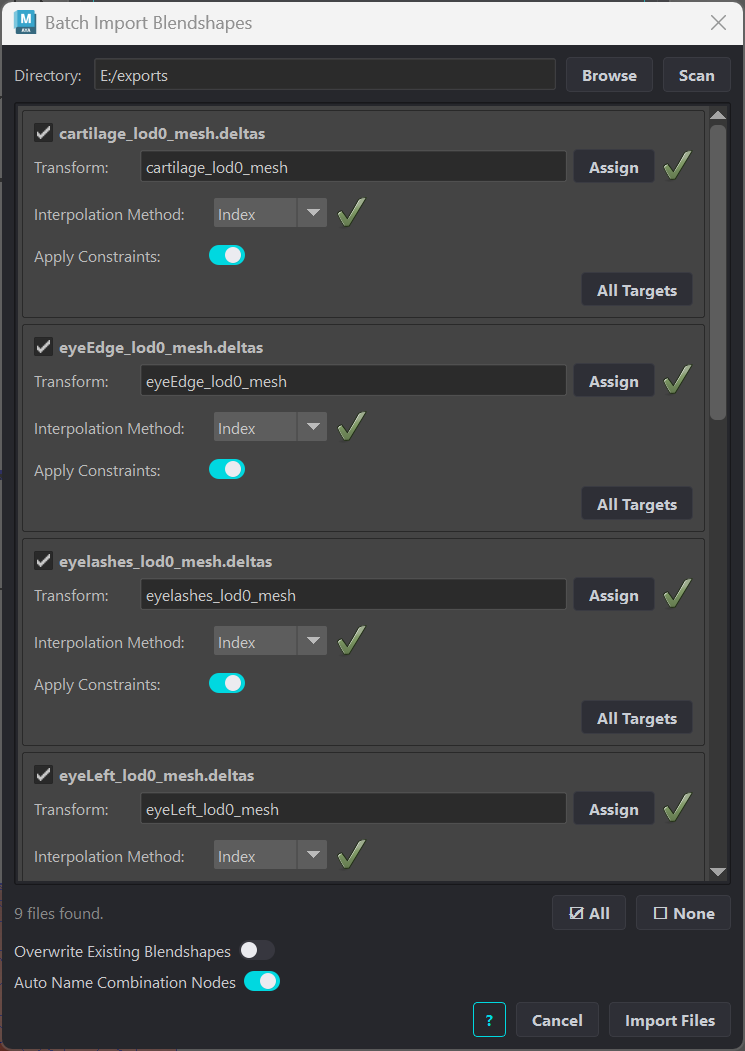
Batch Import Blendshapes scans a directory for .deltas files, matches each to a scene mesh by filename, then imports all matches in a single pass.
Element |
Description |
|---|---|
Directory |
Folder to scan for |
Entry list |
One row per matched |
Interpolation Method |
Per-entry method selector. The status icon confirms whether the method is compatible with the mesh’s vertex count. |
Apply Constraints |
Per-entry toggle. When enabled, stored correspondence constraint groups on the target blendShape node are applied after import. Only active for Index and Gradient methods. |
All Targets |
Shows all target names in the matched |
Overwrite Existing Blendshapes |
When enabled, any existing blendShape node on the target mesh is cleared before importing. Animation connections are preserved and restored after import. |
Auto-Name Combination Nodes |
Renames combination shape nodes to |
Import Files |
Runs the import for all entries in the list. |